Ai job search with mcp and workorai agent today
Rapid Change, Real Opportunity: Today’s technical hiring landscape moves at the velocity of code commits. Automation isn’t just for CI/CD—AI agents now shape everything from team collaboration to code review. Yet when it comes to job search, far too many developers still rely on static resumes and endless manual filtering. A disconnect, yes—but also a springboard for smarter growth. The solution? Not a funeral for the “old ways,” but a vibrant upgrade that makes every opportunity both more precise and more personal.
Why This Matters: Manual job boards and one-size-fits-all resumes still dominate most job searches. But in an era where every developer’s context—from career stack to salary expectations—can be structured, updated, and searched in real time, it’s possible to hand your AI assistant the reins. The result: a job search that respects nuance, personal growth, and technical rigor, powered by advanced protocols like Model Context Protocol (MCP) and the WorkorAI Career Agent.
What You’ll Learn: This article shows developers how to leverage MCP as the essential connector between their WorkorAI Career Agent and AI assistant of choice. You’ll walk away with the blueprint for building an agentic job search flow adaptive to your own stack, goals, and priorities—replacing manual guesswork with targeted, context-driven opportunity.
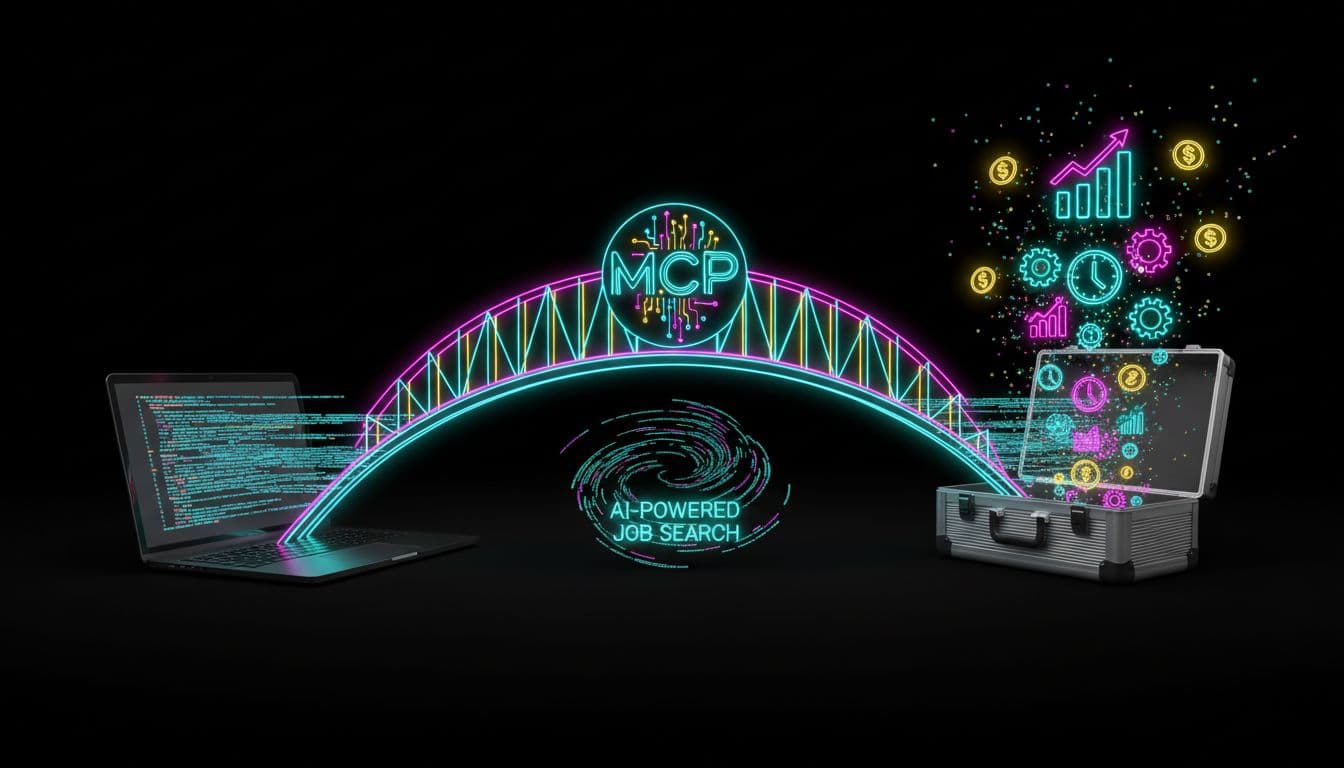
MCP: The Invisible Bridge to a Smarter AI Job Search
Think of MCP—the Model Context Protocol—as backstage access for your AI assistant. Far from a showy headline, MCP is the connective tissue that powers a new era of developer job search. By seamlessly linking external AI tools—Claude, Codex, Cursor, Gemini, Copilot, Antigravity, OpenClaw—to your WorkorAI Talent Profile, MCP allows AI agents to reason about jobs with an understanding of your unique context. It’s not the frontman, but the manager who ensures every setlist is tailored to your needs.
Why Not Just Search Manually? Manual processes can’t keep up with shifting priorities, evolving tech stacks, or nuanced remote preferences. MCP unlocks unified, up-to-date profile data—stack, seniority, compensation, career trajectory, and workflow preferences—all the information static CVs leave behind. It means your next role is matched to who you are now, not just where you’ve been.
[For deeper insight on agentic job search, see: How Agentic AI Changes Developer Job Search]
Building Your Agentic Job Search Workflow
Step 1: Establish Context with the WorkorAI Talent Profile
Every transformative workflow begins with a single source of truth. For developers using WorkorAI, that’s the Talent Profile—a living, structured dataset reflecting your real experience, current skill set, priorities, and career ambitions. Forget about battling with scattered platforms or outdated social profiles; here, your whole career context is synced, ready for smart matching. The outcome? Personalized, relevant job discovery, not shallow keyword roulette.
Step 2: Connect Using MCP (Model Context Protocol)
Setup is developer-simple: a single command (npx @workorai/agent-kit install) installs your WorkorAI Career Agent, prompts you for a unique MCP key, and connects your environment of choice. Whether it’s Claude, Codex, Gemini, Cursor, Copilot, Antigravity, or OpenClaw, MCP ensures that your structured profile travels with you—behind the scenes, free of manual copy-paste or privacy headaches. It’s an invisible but essential thread, marrying your real-world experience with the inference power of modern AI tools.
Step 3: Let the WorkorAI Career Agent Guide the Search
Once connected, your AI agent starts adding serious value: evaluating job postings holistically, explaining fits and risks, and prioritizing roles aligned with your context—not just fragments of text. Where recruiters once relied on guesswork, your agent now offers transparent, structured recommendations that keep you in control.
| Old Search | Agentic Search with MCP + WorkorAI |
|---|
| Manual filtering | Contextual sorting |
| Static profile | Dynamic, structured profile |
| Guesswork ranking | AI-explained fit and risk analysis |
| Occasional updates | Always current, synced with your workflow |
[Explore further: AI Agent vs Job Board—Five Ways WorkorAI Outperforms]
Real Growth: Success Stories & Practical Benefits
Developers who’ve put agentic search into practice tell a compelling story: faster, higher-confidence job matching, fewer mismatched interviews, and an uptick in offers that actually align with both skill and ambition. Early adopters cite a 30–50% reduction in “false positive” interviews, plus recovery of time and focus often lost to tedious manual search. The same agentic principles now streamline not just hiring but also onboarding, project assignment, and even peer networking—where structured context is the launchpad for smarter collaboration.
[Discover more: AI Career Agent—How WorkorAI Saves Your Profile]
FAQ
Q1: What is MCP, and why do I need it for AI job search?
A1: MCP (Model Context Protocol) is the open connection layer that lets your personal AI agent access structured career context from WorkorAI, enabling smarter, context-driven job search flows.
Q2: How secure is my data when connecting WorkorAI through MCP?
A2: Access is authenticated via your unique MCP key and never exposes your profile publicly; your data is shared only with the AI agent you explicitly authorize.
Q3: Can I use WorkorAI Career Agent inside my favorite coding assistant or personal AI agent?
A3: Absolutely—WorkorAI is designed to connect with agents like Claude, Codex, Gemini, Cursor, Copilot, Antigravity, OpenClaw, and other compatible AI tools.
Q4: What’s the install process for WorkorAI Career Agent?
A4: One command (npx @workorai/agent-kit install) sets up your agent; you’ll then generate your MCP key and connect seamlessly with your AI assistant.
Q5: Is this just for technical hiring, or can other domains benefit?
A5: While the workflow is optimized for technical talent, the principles of agentic, context-rich career search are expanding rapidly into other high-skill sectors.
Conclusion
Connecting MCP with WorkorAI Career Agent isn’t about more automation for its own sake—it’s a leap toward developer autonomy and efficiency. With context-aware search and AI-powered matching built into your workflow, manual job hunting and resume touch-ups become historical footnotes. The future of job search is structured, intelligent, and centered on developer priorities, not recruiter guesswork. It’s about trading noise for signal—and putting real control, and real opportunities, into the hands of technical talent.
Ready to unlock agent-powered job search? Build your WorkorAI Talent Profile, install your Career Agent with a single command, and let MCP make your next career move a case study in smart automation. Try it today—your workflow and your future will thank you!
Related topics:
- How to create a WorkorAI Talent Profile
- Integrating WorkorAI with Claude, Codex, and Gemini
- Secure AI agent architectures for developers
- Agentic job search vs. traditional job boards